To register an individual in workshops:
- Open the individual's registration record for the course with workshops.
- Click the Assign Workshops button.
- The Workshop Sessions screen opens next. Check the desired workshops.
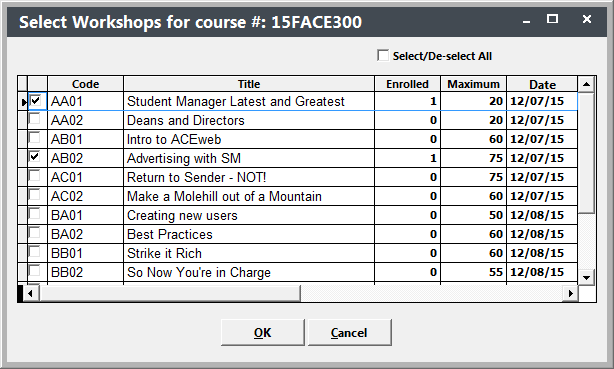
- Click the OK button to register the individual in the workshops and return to the Registration screen.
- The workshops you selected will now appear in the Workshop listing.
- Note: if there are fees associated with a workshop, they will be added to the Additional Charges list.
- Click the Save button to save the changes to the registration.
 Related Topics